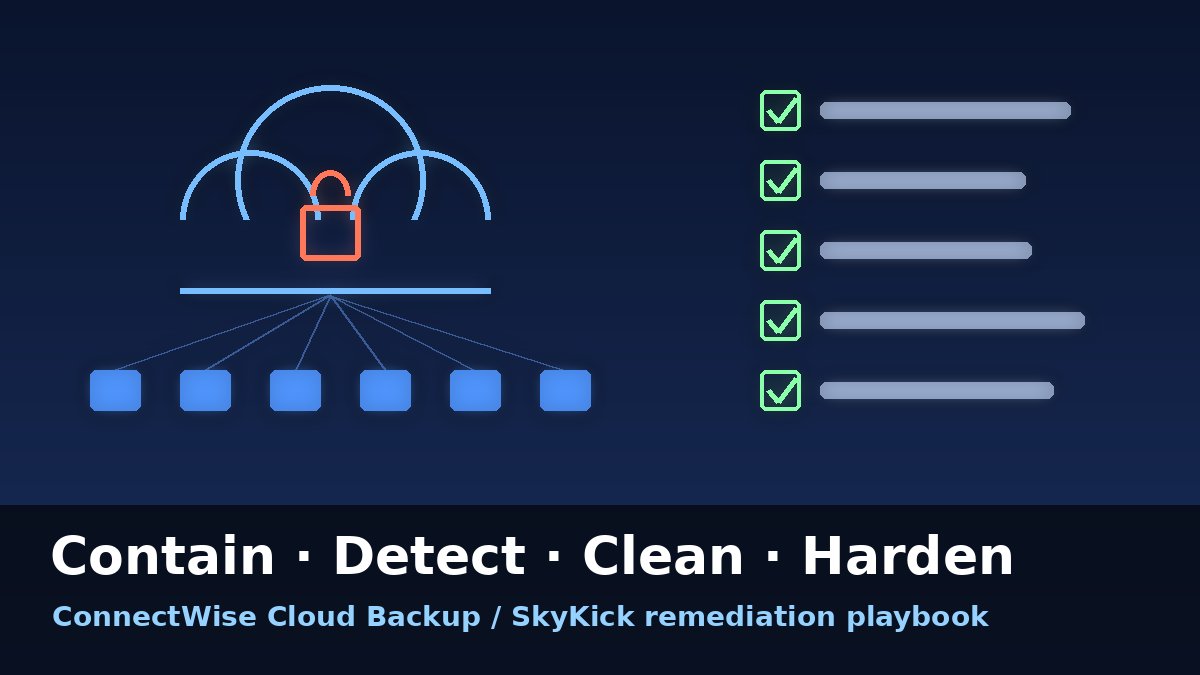
Five days after attackers turned a stolen ConnectWise Cloud Backup credential against Microsoft 365 tenants, the incident has moved from discovery into cleanup. ConnectWise says it completed a full reset of all accounts and credentials in the affected Cloud Backup environment on October 19 and, as of its October 21 update, has begun restoring services in controlled phases, a process it expects to take several days. Meanwhile, Sophos X-Ops and Microsoft have added new detail about how the token sweep ran. We covered the attack itself on October 19; this follow-up is the hands-on part: a step-by-step workflow for detection, containment, cleanup and hardening, built on ConnectWise’s technical investigation and remediation guide and the latest researcher findings. Here’s how to work through every tenant you manage, and what to wait for before you reconnect anything.
What’s New Since October 19
- Credentials reset: ConnectWise says it finished resetting all accounts and credentials in the affected Cloud Backup environment on October 19, and is completing security validation before each restoration step.
- Phased restoration under way: As of October 21, restoration has begun, starting with core infrastructure. ConnectWise warns that “the start of restoration does not mean all capabilities are available” and that step-by-step reconnection instructions will follow per service.
- Keep connections disabled: Partners are told to keep affected application connections disabled until formal instructions apply to their specific service.
- Backup archives: ConnectWise says existing archives remain “encrypted, isolated, and preserved, with no indication of compromise,” and it has seen no sign that other ConnectWise products are affected. It still stresses that this does not establish whether any individual tenant was touched.
- Partner webinars: Technical walkthroughs of Entra sign-in and audit logs, app registrations, credentials and permissions now run every two hours, starting October 20 at 18:00 UTC.
- Root cause still unknown: ConnectWise continues working with independent specialists to determine how the unauthorized access first occurred.
Sophos X-Ops reported that the sweep against tenants it monitors began at 07:11 UTC on October 15 and ended at 08:47 UTC, about 96 minutes, from a single VPS at 144.172.64[.]128, using the user agents Python-urllib/3.12 and python-requests/2.31. Tenants were hit in strictly ascending GUID order, one to six minutes apart, and the list included tenants with no active backup subscription. That last point matters: if a client ever consented to SkyKick or Cloud Backup, it belongs on your review list even if it cancelled years ago. Microsoft Threat Intelligence has also said follow-on activity included “Microsoft Graph API reconnaissance and attempts to add additional credentials on the related service principal in target tenants to maintain direct access as a backdoor.”
Step 1: Contain Without Destroying Evidence
Start with your own MSP tenant, then every customer tenant, including dormant ones. ConnectWise’s guide is explicit that vendor-side containment does not change the enterprise application settings inside your tenants.
- Disable, don’t delete: In the Entra admin center, go to Enterprise applications → All applications, find each affected app by Application ID, open Properties and set “Enabled for users to sign-in?” to No. This needs Application Administrator, Cloud Application Administrator or service principal ownership, not Global Administrator.
- Match on ID, not name: Check all seven identities: Cloud Backup (506e08f9-6e9a-4da4-942b-a099a03644ae), Cloud Management (2399d300-6fca-4e6a-a686-399fefe75b83), MS Teams (24205314-2b89-4e07-a2a4-579e898a5640), Exchange Online (b78f6a77-d4e5-46fb-87e5-d1648bd02519), MS Graph (0de14c77-b9b0-4137-9360-34878a929827), Partner Center (412dcf96-176d-4b3a-a1b0-4981ad66971e) and SharePoint Online (b2b55f5b-7758-4719-8d8f-88ae172e6bdb). Older tenants may show SkyKick Cloud Manager names.
- Record everything: Note the tenant ID, application and local Object IDs, who made the change and the UTC time, then verify the saved state.
- Export logs now: Download audit logs as JSON and export interactive, non-interactive, service principal and managed identity sign-ins separately. Collect Purview audit data and any SIEM or Graph activity records. Entra keeps this history for only 7 days on Free and 30 days on P1/P2, and a license upgrade will not bring back expired records.
Step 2: Detect Malicious Sign-Ins and Changes
- Sign-ins: Review from October 13 to now (back to October 1 where available). Filter every sign-in category for 144.172.64.128, 144.172.64[.]99 and 144.172.64[.]60, and filter Service principal sign-ins by each Application ID. Inspect successes and failures separately.
- User agents: Python-urllib/3.12, python-requests and curl can flag scripted activity, while kiota-dotnet and Azure private IPv6 are associated with expected vendor traffic. ConnectWise cautions that neither proves anything on its own.
- Directory audit: Under Audit logs, filter ApplicationManagement (added credentials, owners, app role assignments, consent), RoleManagement (Add member to role), Policy (Conditional Access and named-location changes) and UserManagement (new users, password resets, MFA method changes). Search the ConnectWise apps as both initiator and target.
- Graph activity: Where Microsoft Graph activity logs were already enabled, use them to see what any issued tokens were used for. Sophos specifically recommends this for tenants with active backup.
Step 3: Clean Up Persistence
Huntress previously documented attacker-added client secrets on other apps in a compromised tenant, so cleanup has to reach beyond the seven ConnectWise identities.
- Credentials: Inspect client secrets, certificates and federated credentials on every app registration and service principal, especially management and security tools. Record key IDs, thumbprints and validity periods, compare them with audit events, then remove unauthorized entries. Graph’s removePassword handles service principal secrets by Object ID and keyId; certificates and federated credentials require separate operations.
- Roles: In Roles and administrators, review application assignments to Global Administrator, Privileged Role Administrator, Privileged Authentication Administrator, Application Administrator, Cloud Application Administrator, Exchange Administrator and SharePoint Administrator. Have a Privileged Role Administrator remove anything unauthorized.
- Owners and consent: Check recently created apps, enterprise app owners and admin/user consent grants. Disable a malicious new app and keep it for evidence before deciding on deletion.
- Mail and policy tampering: In Purview Audit, search for New-InboxRule, Set-InboxRule, Set-Mailbox, Add-MailboxPermission, Add-RecipientPermission, New-TransportRule and Set-TransportRule. Run Get-InboxRule -Mailbox <mailbox> -IncludeHidden for hidden rules, and review Conditional Access exclusions and trusted locations.
- Cross-tenant reach: If an MSP management identity with access to multiple customers was touched, every tenant it can reach needs investigation. As ConnectWise puts it, “A replacement legitimate credential does not remove an attacker-added credential, role, or consent grant.”
Step 4: Document, Escalate and Reconnect Safely
- Write it down per tenant: Log coverage, findings, containment times, every remediation action, open questions and the response owner.
- Escalate real findings: Send unauthorized credentials, privileged assignments or suspicious successful activity to your incident response provider and to SecurityPartnerSupport@ConnectWise.com with tenant and app IDs, UTC timestamps and correlation IDs, never secrets or tokens.
- Measure the backup gap: Check each client’s last good recovery point and arrange interim protection for critical mailboxes and sites while Cloud Backup is offline.
- Reconnect only on instruction: When ConnectWise publishes reconnection steps for your service, follow them exactly, then confirm workload connections and successful backup jobs.
Step 5: Harden for Next Time
- Inventory third-party service principals: Search Enterprise applications for every vendor identity, record its permissions and purpose, and remove old consents for products you no longer use.
- Restrict app credentials: Use Entra application management policies to limit or block client secrets and cap credential lifetimes on apps you own.
- Guard the app admin roles: Keep Application Administrator and Cloud Application Administrator tightly held, since they can add credentials to apps.
- Turn on the logging you wish you had: Enable Microsoft Graph activity logs and stream Entra and Purview logs to a SIEM with longer retention.
- Know the limits of Conditional Access: ConnectWise notes that user policies do not protect app-only authentication, and Conditional Access for workload identities covers supported single-tenant service principals, not third-party multitenant apps.
Looking Ahead
ConnectWise’s restoration is just beginning, and the company has promised service-specific timelines and reconnection steps as each phase clears security review. The open question remains how the credential was exposed in the first place, and the answer will shape how much trust MSPs place in multitenant vendor apps going forward.
For techs, the most useful thing to do this week is unglamorous: work the checklist tenant by tenant, preserve evidence before it ages out, strip out anything an attacker may have planted, and keep the connections off until the vendor says otherwise. A completed review won’t guarantee a tenant was untouched, but it is the difference between knowing and hoping.
Sources:
- ConnectWise Trust Center, October 20–21, 2026
- ConnectWise Cloud Backup Technical Investigation and Remediation Guide, October 18, 2026
- Sophos X-Ops, October 2026
- CyberScoop, October 20, 2026
- The Hacker News, October 20, 2026
- Huntress, October 16, 2026